


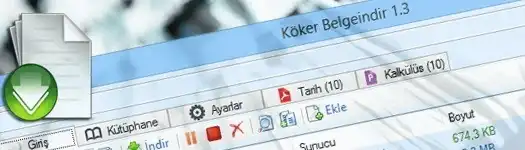
Köker Belgeindir 1.3

A multithreaded document search and download application with tabbed browsing, preview, segmented downloads and an integrated file library.
- Belgeindir is a document search and download application. It searches numerous servers for documents, e-books and presentations on a requested subject, lets the user preview them and downloads them within a short time.
- Usage
- Enter the subject to search and click the “Search” button. A new tab opens and the documents are listed shortly afterward.
- Select the documents to download and click the “Download” button on the toolbar. The documents are downloaded into a subfolder for the subject.
- Downloaded files can be viewed and managed in the Library tab. Search results can also be previewed by double-clicking, and the “More” button can be used to retrieve additional results.
- Installation Recommendations
- Removing the previous version before installation is recommended.
- Requirements
- .NET Framework
- Keyboard Shortcuts
- CTRL+T: Open a new tab
- CTRL+W: Close the current tab
- CTRL+J: Switch to the Home tab
- CTRL+L: Switch to the Library tab
- CTRL+S: Switch to the Settings tab
- CTRL+1..9: Switch to the corresponding tab
- CTRL+Q: Exit the application
- Version History
- Version 1.3
- Improved the search algorithm.
- Added update checking.
- Added a system-tray icon.
- Improved the user interface.
- Fixed various issues.
- Version 1.2
- Completely redesigned the interface.
- Added four search servers.
- Added segmented downloads.
- Added category-based downloads.
- Added consistent file naming.
- Added tabbed search and preview.
- Added keyboard shortcuts.
- Added a library and file manager.
- Added a Settings tab.
- Added settings reset and export.
- Added language selection.
- Added a toolbar and context menu.
- Added a status bar.
- Added an operation list.
- Added filtering.
- Added timeout handling.
- Added “Select All.”
- Improved performance.
- Fixed various issues.
- Version 1.1
- Added Windows 8 support.
- Fixed various issues.
- Version 1.0
- Initial release.
- Version 1.3
- Size: 684 KB
- MD5: AA83631C3E0B3454A21B748C9EAFA182
- VirusTotal Result: Clean
- References
- gezginler.net
- indir.com
- inndir.com
- tamindir.com
- Notice Based on User Messages
- As of version 1.3, preview problems occur for some file types because server software has been updated. The issue was planned to be corrected in a subsequent release.
- As a temporary solution, users can change the “Default Viewer” option in the Settings tab.
